AI Art


AI Futa
Anime AI
How to Make AI Futa: The Ultimate Futanari AI Generation Guide
Learn how to make AI Futa with this step-by-step guide. Discover the best Futanari AI tools, prompt tips, image generation techniques, and expert advice for creating high-quality AI art.


AI futa, also known as futanari AI, has become very popular around the world. Many people love creating anime-style characters that combine beautiful feminine features with male anatomy. These images are used for art, stories, personal enjoyment, and creative fun.
If you are new to this and want to know how to make AI futa images, you are in the right place. This guide is written in simple English so anyone can understand and follow it. You will learn the best tools, easy steps, good prompts, useful tips, and common mistakes to avoid. By the end, you will be able to create your own high-quality futanari AI images.
Whether you want cute, elegant, or bold designs, modern AI tools make it possible without any drawing skills. Let’s start!
Best Tools for Generating Futanari AI Images in 2026
There are many tools available today. Some are free and simple, while others give more control. Here is a clear comparison:
| Tool | Best For | Ease of Use | Cost | Main Advantage |
|---|---|---|---|---|
| ExciteMe.ai | Beginners and fast results | Very Easy | Free tier + Premium | Simple interface and good anatomy |
| CelebsGPT.com | Creating the same character again | Easy | Subscription | Strong character consistency |
| Stable Diffusion (Pony Diffusion) | Best quality and full control | Medium | Completely Free | Most powerful for detailed images |
| Illustrious / NoobAI | Anime-style futanari | Medium | Free | Clean lines and nice details |
| Other Online Generators | Quick testing | Very Easy | Free credits | No installation needed |
My Top Recommendations:
 Beginners should start with ExciteMe.ai. It is fast, easy, and gives good results without any complicated setup.
- If you want to create the same futanari character many times, try CelebsGPT.com.
- For the best possible quality and unlimited generations, use Stable Diffusion with the Pony Diffusion model on your computer.
These tools support NSFW content, including futanari, so you can create exactly what you want.
How to Generate Images on ExciteMe.ai (Step by Step)
ExciteMe.ai is one of the easiest platforms for making AI futa images. You don’t need to download anything or learn technical settings.
Follow these simple steps:
Step 1: Open your browser and go to ExciteMe.ai.
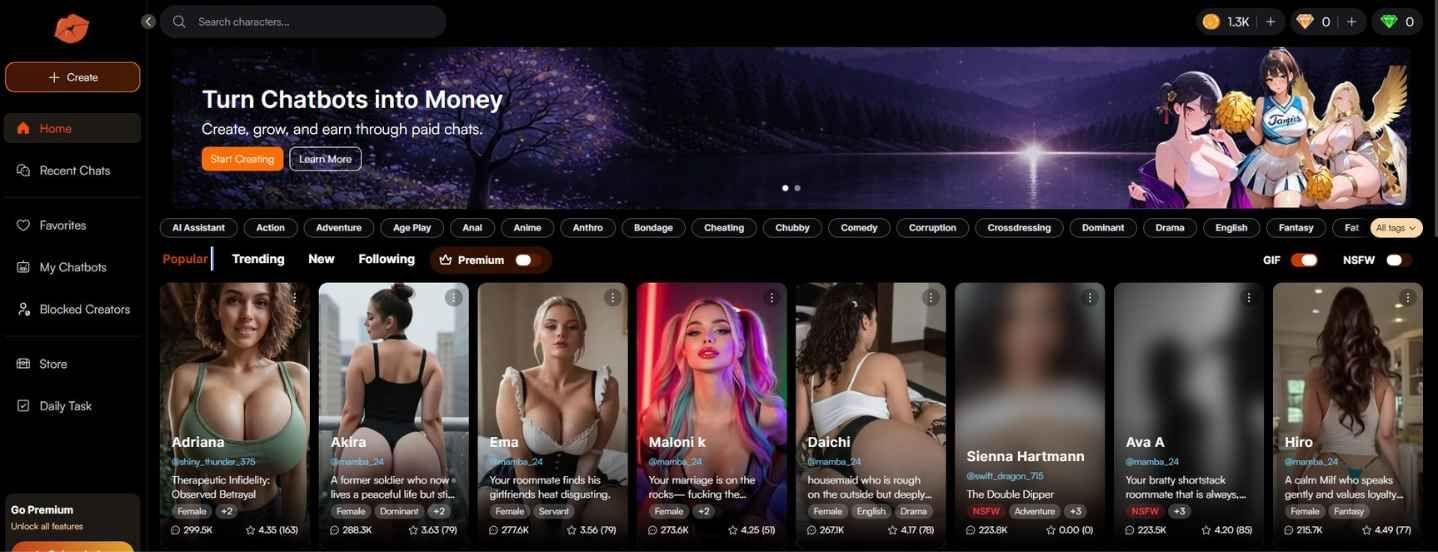
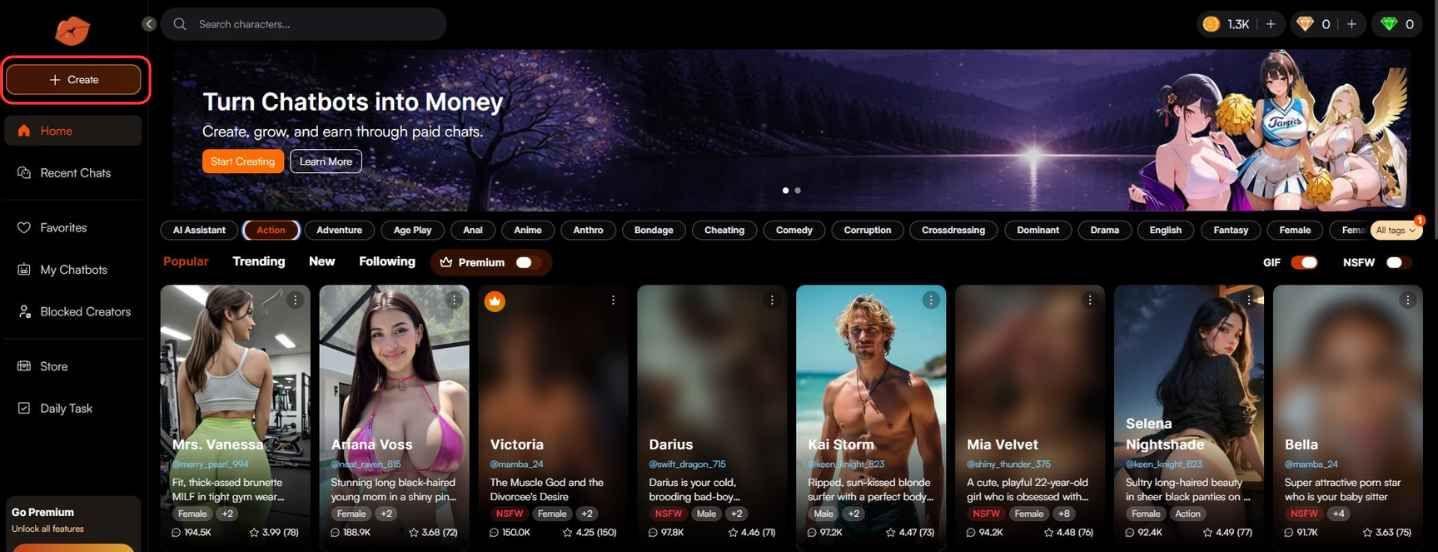
Step 2: Click the Create button on the homepage.
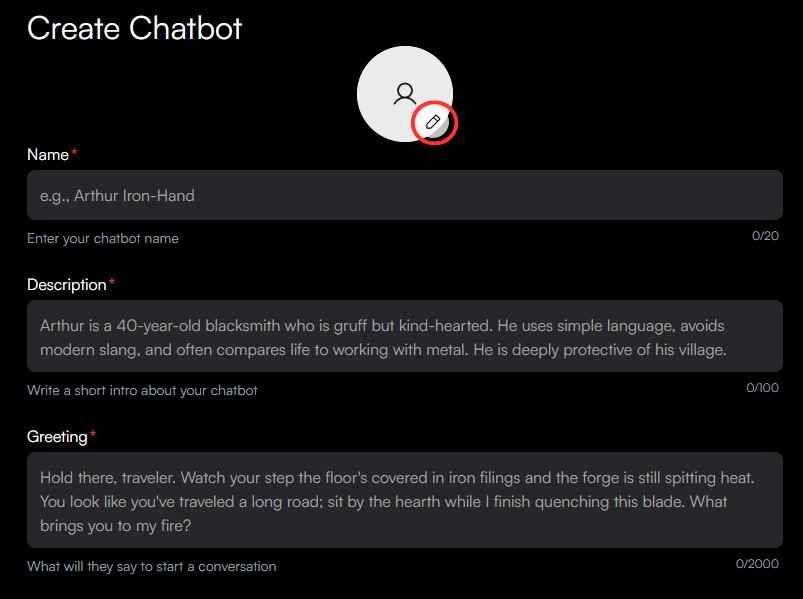
Step 3: On your profile page, click the pencil icon.
Step 4: Choose Generate Image.
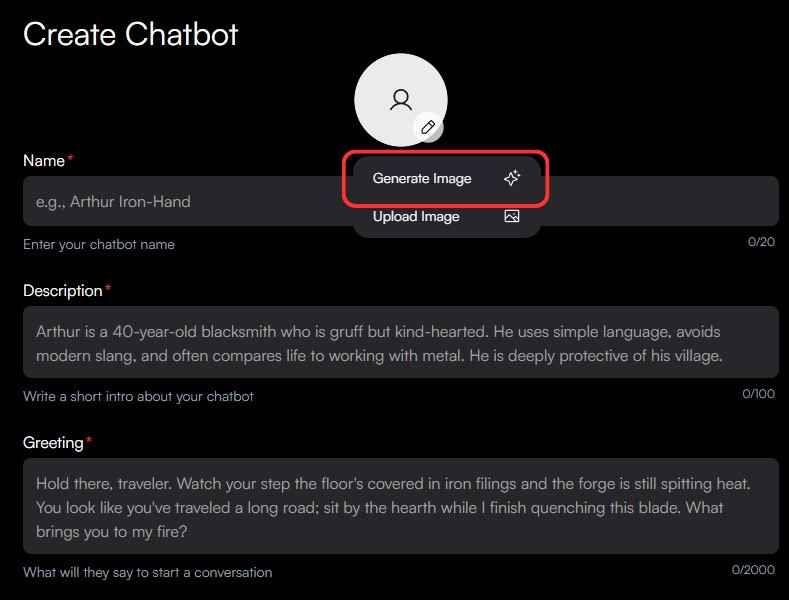
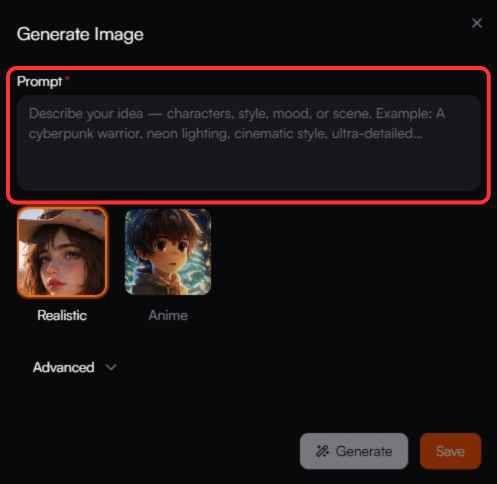
Step 5: Write a detailed prompt in the text box.
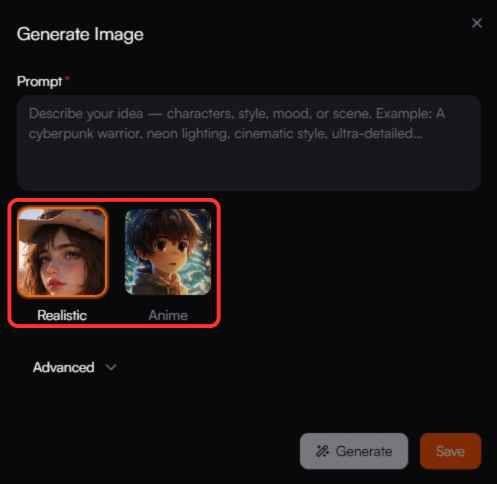
Step 6: Select your style—Real for photorealistic or Anime for cartoon style.
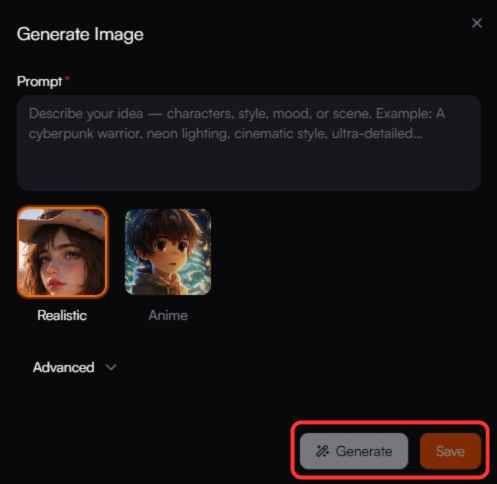
Step 7: Click the Generate button and wait for a few seconds.
Example Prompt to Try:
“beautiful futanari girl, long flowing silver hair, emerald green eyes, large breasts, curvy body, erect penis, detailed anatomy, seductive smile, anime style, masterpiece, best quality”
After the image appears, you can:
- Download it if you like it
- Change the prompt and generate again
- Try different styles or add more details
Pro Tip for ExciteMe.ai:
Use words like “futanari, highly detailed, sharp focus, beautiful lighting” in every prompt. This helps the AI understand what you want and gives better results.
Many users say ExciteMe.ai handles futanari anatomy quite well compared to other simple online tools.
How to Write Good Prompts for AI Futa Images
The secret to great images is writing a good prompt. Here is a simple structure:
Basic Prompt Formula:
[Quality words] + [Subject] + [Details] + [Style]
Example 1 (Simple):
“masterpiece, best quality, 1girl, futanari, long pink hair, big breasts, erect penis, school uniform, anime style”
Example 2 (Detailed):
“highly detailed, beautiful futanari, short black hair, athletic body, large breasts, veiny penis, precum, gym clothes, seductive expression, dynamic pose, anime style, sharp focus”
Negative Prompt (Important):
“blurry, low quality, bad anatomy, extra limbs, deformed hands, ugly, watermark, text”
Tips for Better Prompts:
- Be specific about body parts, hair, clothes, and expression
- Add weights like (futanari: 1:2) if using advanced tools
- Try different angles—front view, side view, close-up
- Experiment with lighting: soft lighting, dramatic shadows, sunset
Common Problems and How to Fix Them
Even with good tools, you may face some issues. Here are easy solutions:
- Bad anatomy (extra arms or weird body parts): Use a strong negative prompt and regenerate.
- Image looks blurry: Add “sharp focus, high resolution” to the prompt.
- Character looks different every time: Use CelebsGPT or the same seed number in Stable Diffusion.
- Not enough details: Make your prompt longer and more descriptive.
With practice, these problems become less common.
Benefits of Creating AI Futa Art
- No need for drawing skills
- Create unlimited variations quickly
- Full privacy — create anything you like
- Great for personal projects, stories, or just fun
- Helps you improve creativity and prompt writing skills
Conclusion: Start Creating Your Own AI Futa Masterpieces Today
Creating AI futa and futanari AI images is a fun and creative hobby. With simple tools like ExciteMe.ai and good prompts, anyone can make beautiful results.
Remember the key points: start simple, write clear prompts, experiment with different tools, and keep practicing. The technology in 2026 makes everything much easier than before.
Now it’s your turn! Open ExciteMe.ai, copy one of the example prompts, and create your first futanari character. You will be surprised how good it looks.
What kind of futanari will you make first—a cute anime girl, a strong athletic one, or something else? Share your experience and best prompts in the comments section below. I would love to hear from you!
Note: This guide is written for educational and artistic purposes only. All characters are fictional and for adults. Please always follow the laws and rules of the platforms you use.
FAQ – Frequently Asked Questions
Is ExciteMe.ai free to use?
Yes, it has a free tier. For more generations, you can buy premium credits.
What is the best tool for beginners?
ExciteMe.ai is the easiest and best for new users.
Can I make realistic futanari images?
Yes. Choose the “Real” style on ExciteMe.ai or use realistic models in Stable Diffusion.
How do I get better anatomy?
Use detailed prompts and negative prompts. Practice helps a lot.
Are these images safe to share?
Always check platform rules. Most NSFW sites allow AI futa content, but be careful.
How long does it take to learn?
Most people start making good images in 5-6 attempts.